I am on leave - can I delegate my ACC orders for approval?
Easily reassign all your ACC order approvals to another CCM when on leave.
Written By Stephane Recouvreur
Last updated 2 days ago
You can now fully delegate all your ACC order approvals to another CCM in one step. That CCM will:
Receive approval email notifications directly to their inbox for your ACCs
Be able to approve order approvals directly in Medway Practice.
To do so, log in to Medway Practice > Settings and scroll down to the Temporary CCM Assignment section.
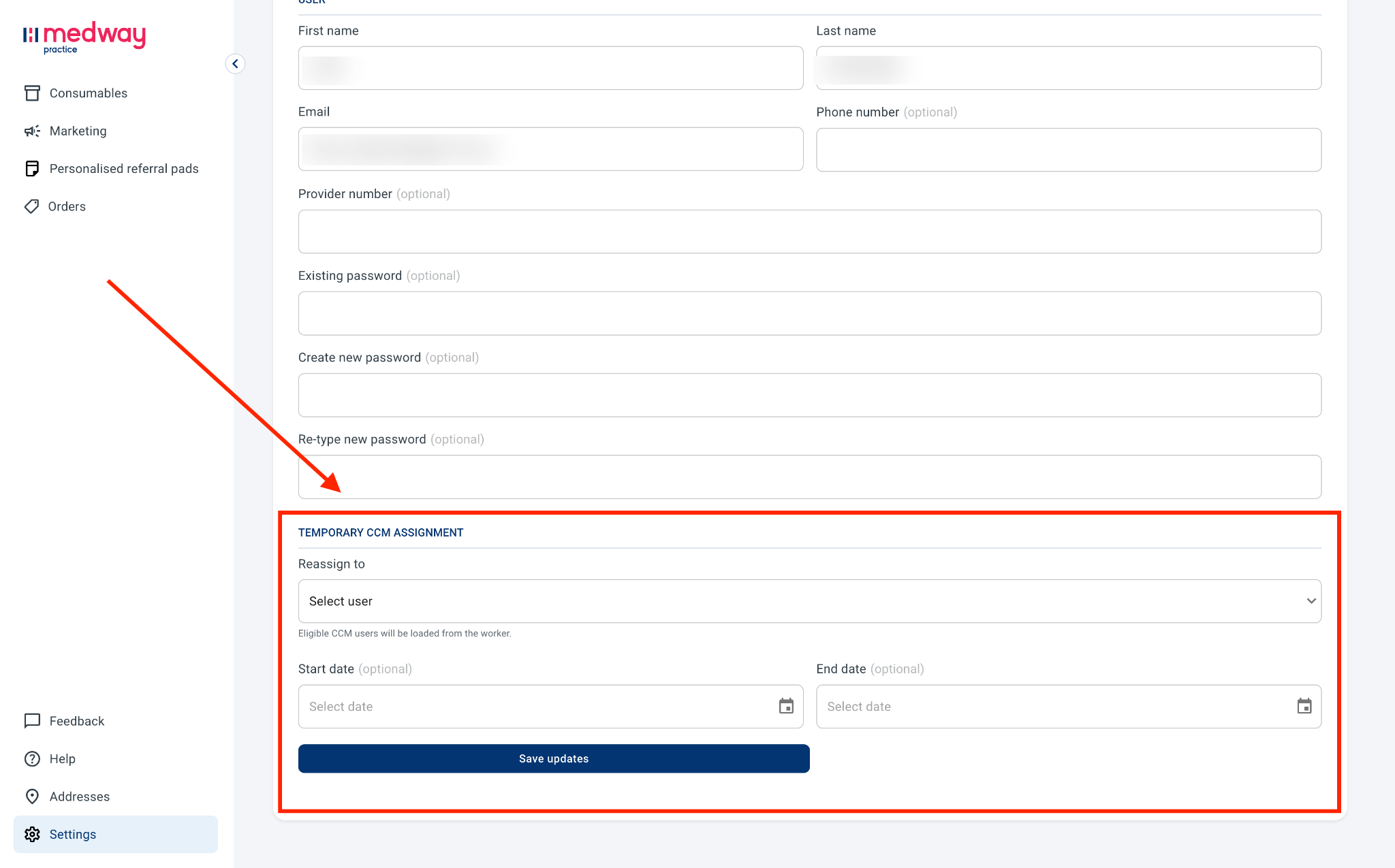
Then:
Reassign to: select another CCM to reassign your order approvals to.
Start date (optional): select the first day when the reassignment should be effective. If no date is selected, the reassignment will be effective immediately.
End date (optional): select the last day when the reassignment should be effective. If no date is selected, the reassignment will not stopped unless cancelled.
Then click on Save updates.
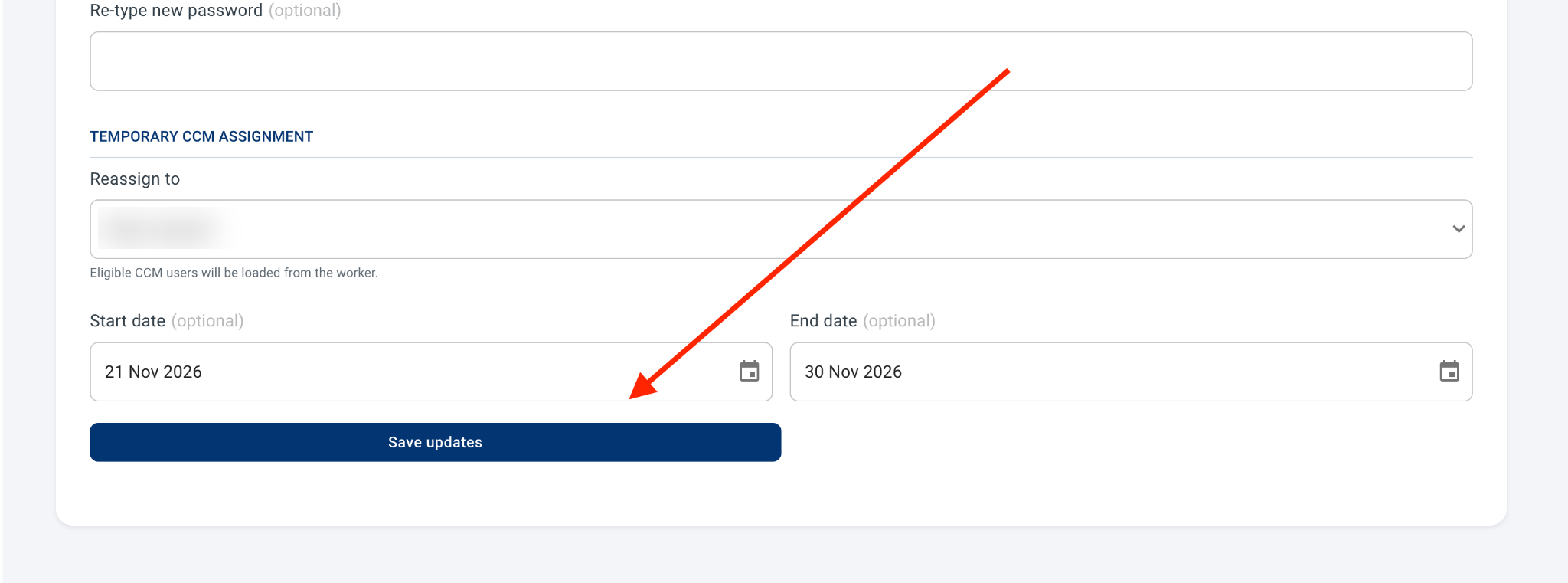
Once done, you will see an alert confirming who your order approvals have been reassigned to, and the starting and ending dates.
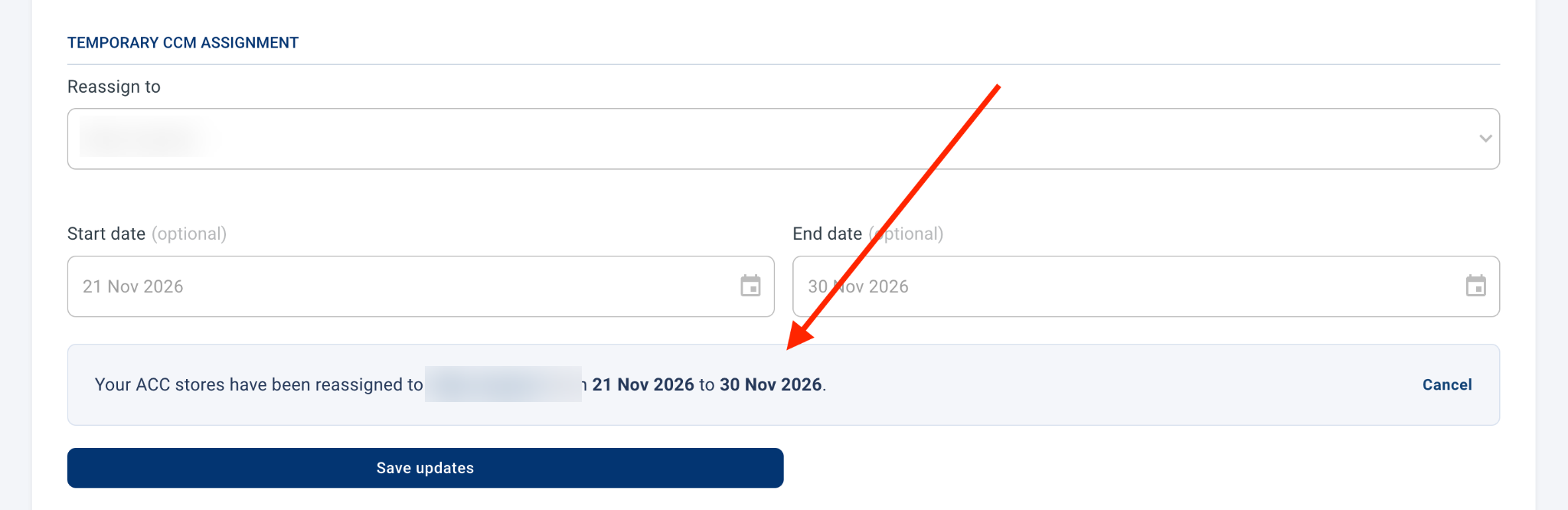
You can cancel a reassignment at any time by clicking on Cancel.
Note that once the reassignment period is over, orders approved during that time will be visible under the original CCM only.
Was this helpful?
Still need help? Share an idea