How can I request a customised referral pad?
Quickly order customised referral pads for your practice with our new ordering wizard.
Written By Stephane Recouvreur
Last updated About 1 month ago
To order BLANK pads (without customisation), please use the Consumables tab instead.
Requesting a customised referral pad
To place an order:
Log in to Medway Practice
Select the “Personalised referral pads” tab from the menu
Complete the referral pad request form
Review all details carefully
Submit your request
Ordering steps
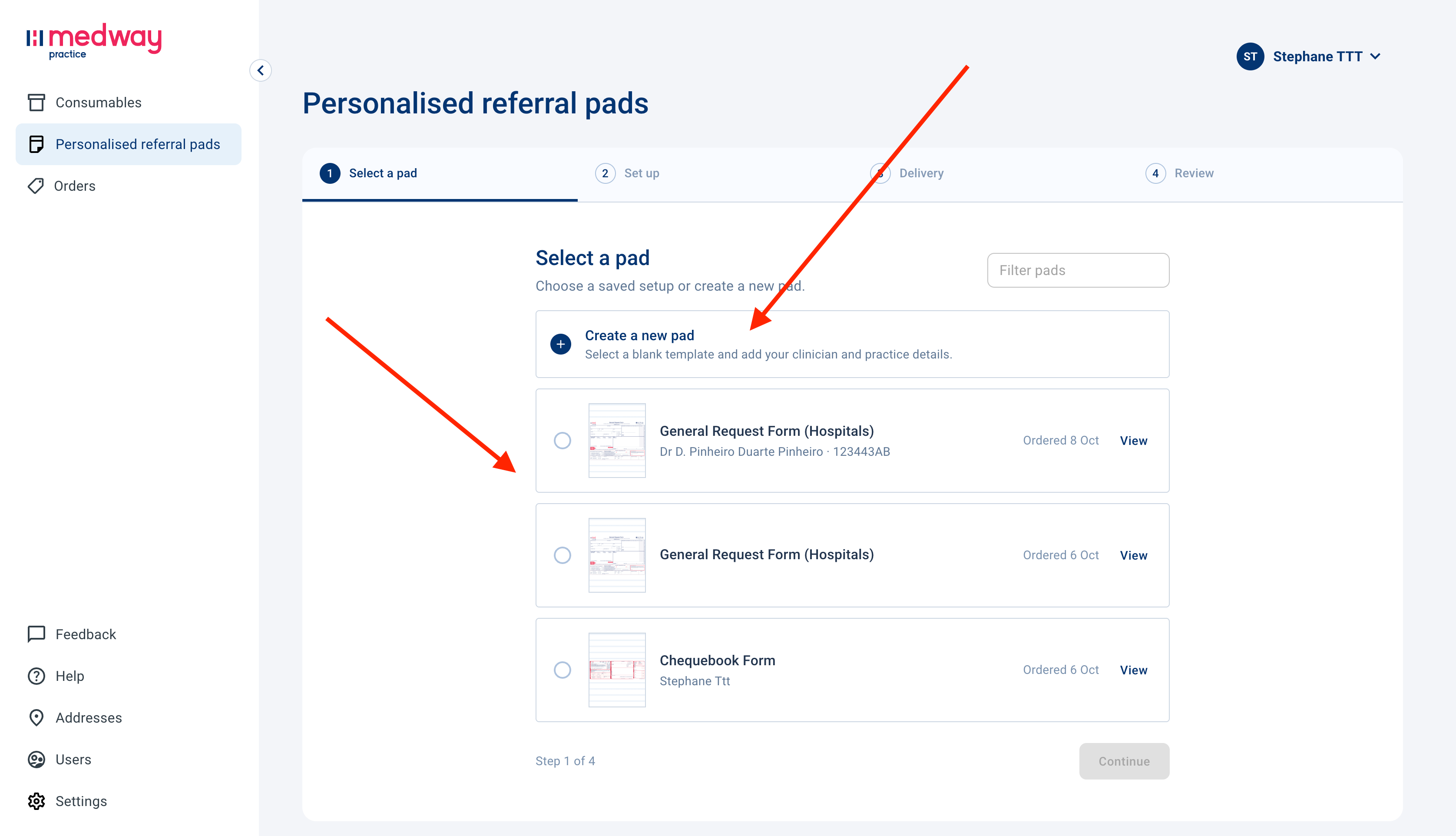
Select a pad
Select an existing (saved) referral pad or create a new one selecting on “Create a new pad”. Then click Continue.
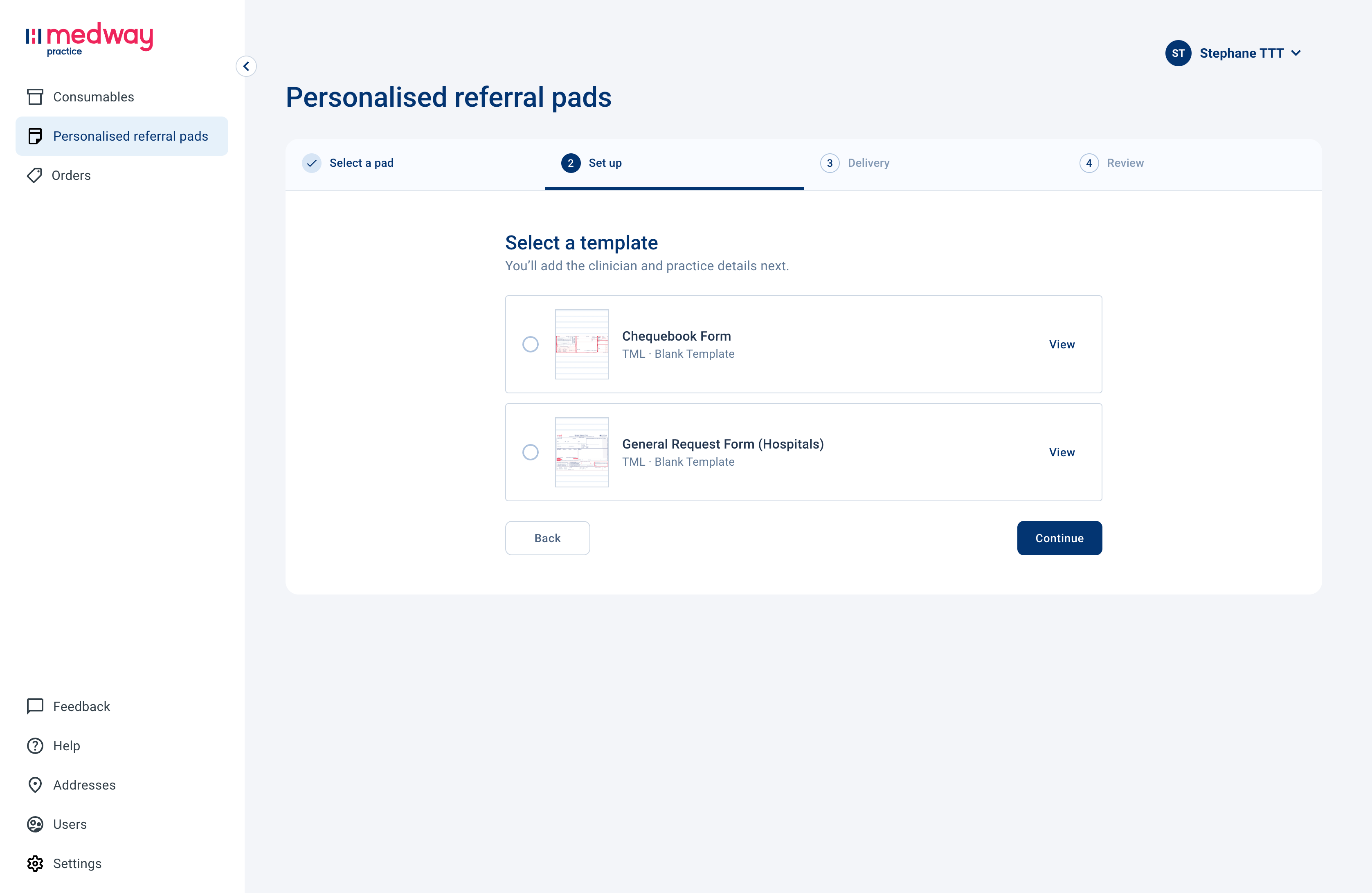
Select a template
Select a blank template and click continue.
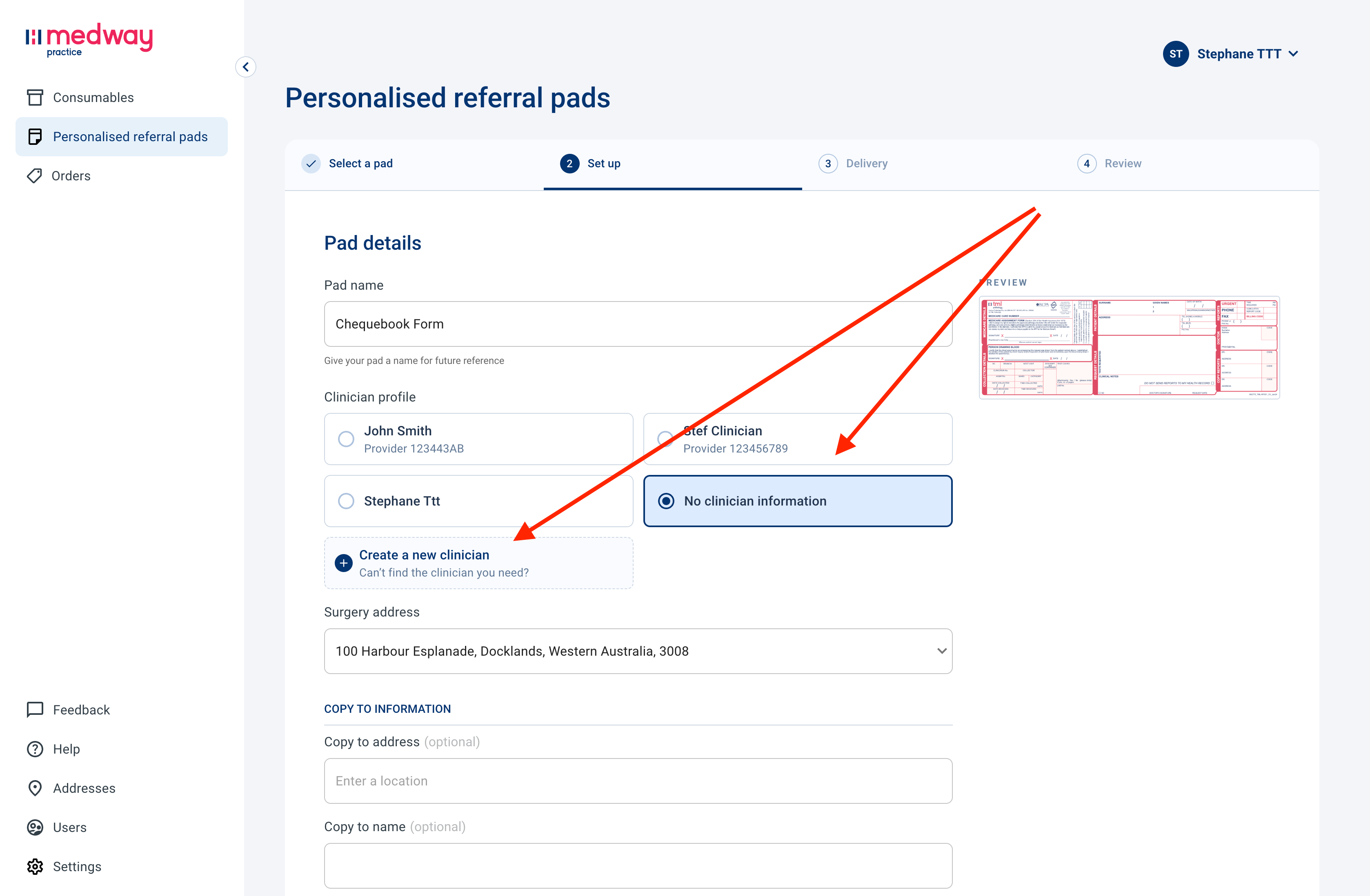
Set up
Start customising your referral pad. The form allows you to provide details such as:
Pad name: give your referral pad name to set it as a template for future use.
Clinician profile: select an existing clinician profile, create a new profile or leave it blank (good for hospitals).
Surgery address: select your practice address from the dropdown. To add, edit or delete addresses, head to the Addresses tab section on the left.
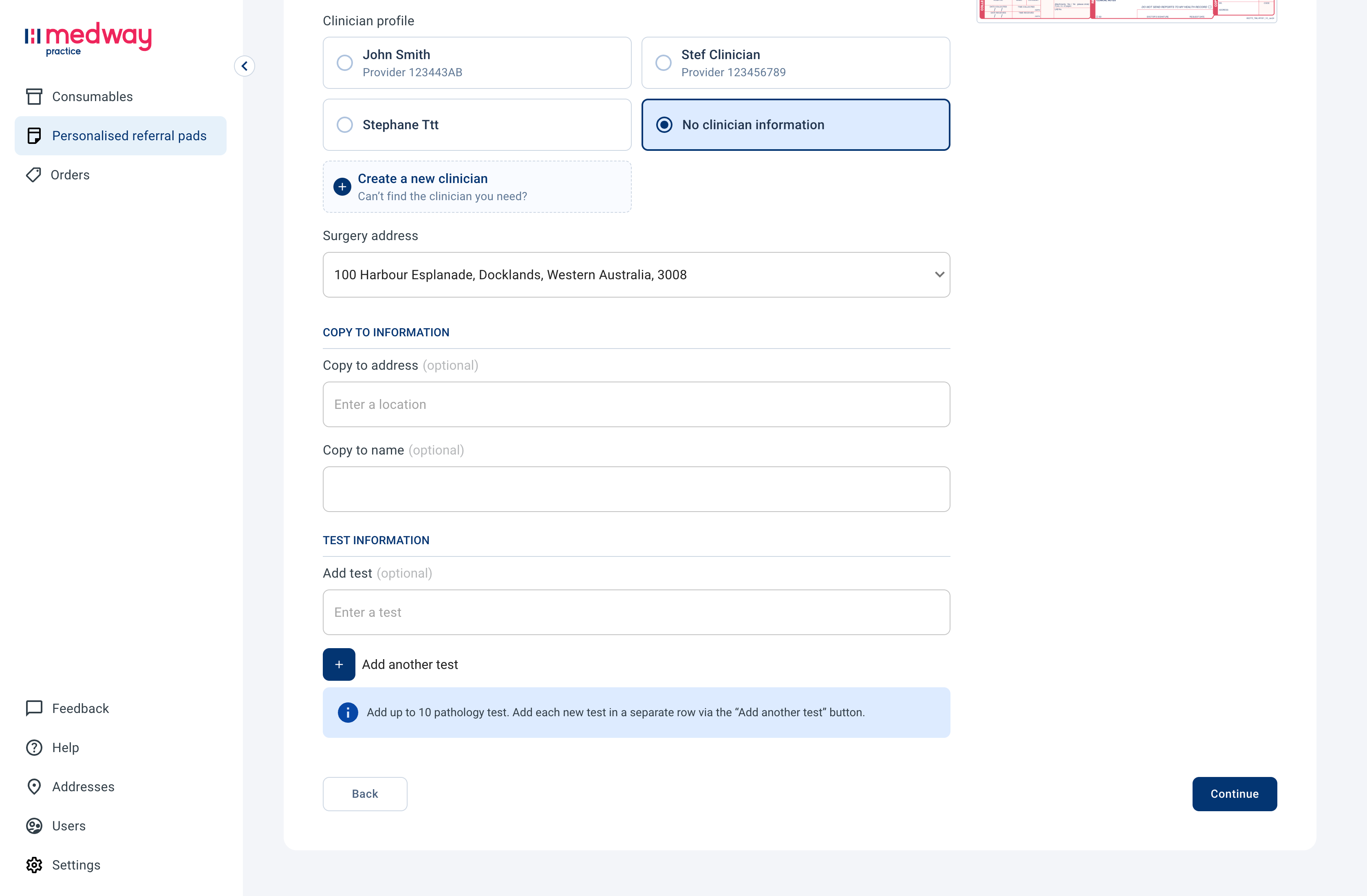
Copy to address (optional): a physical address to forward results (validated by Google).
Copy to name (optional): the name of the clinician to receive a copy of the results.
Add tests (optional): you can pre-print up to 10 tests in the Tests requested section.
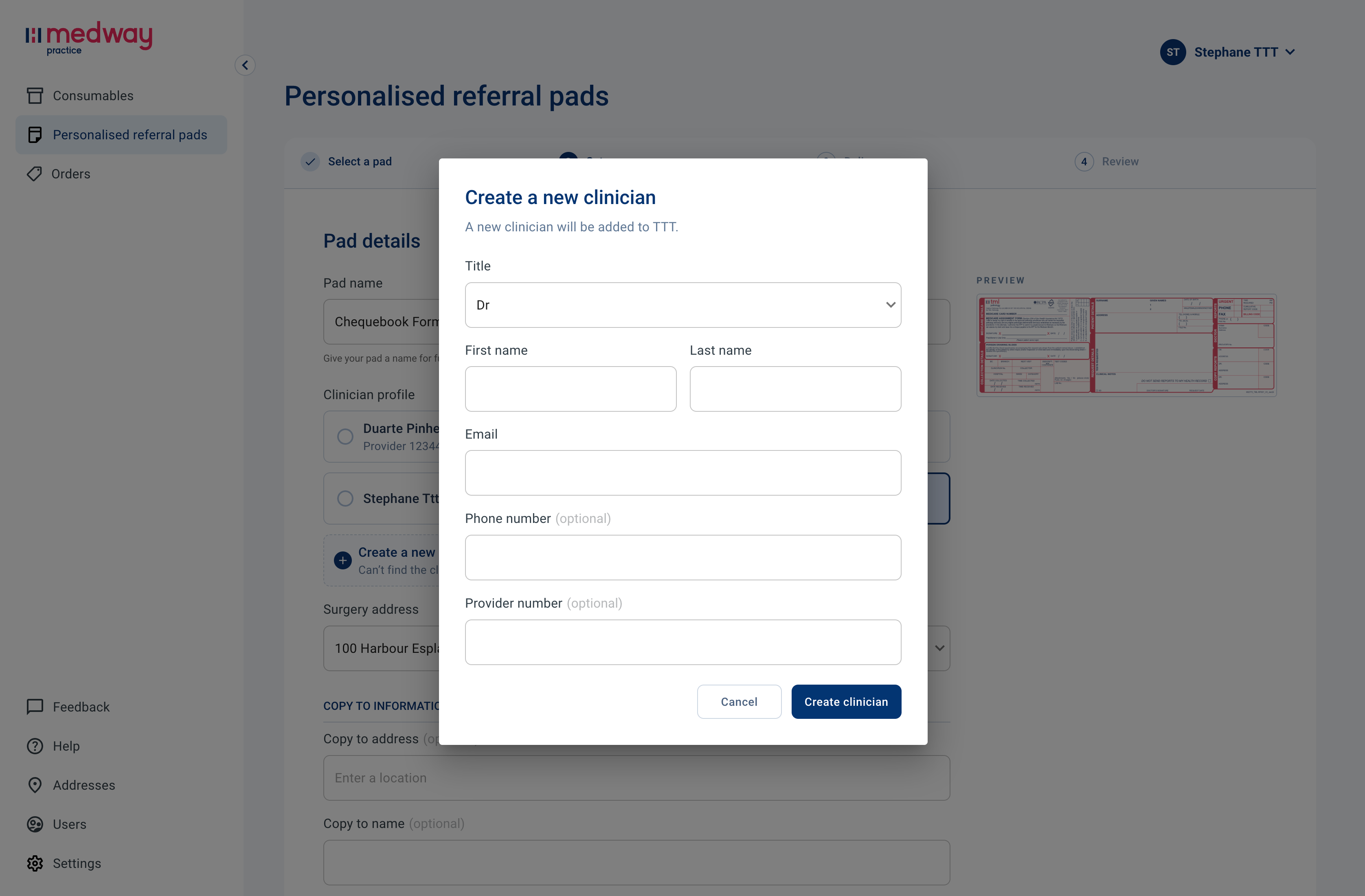
Clinician information
You can create a clinician profile on the spot, providing the following information:
Title: select "Dr" to show before the clinician name. Otherwise, leave empty.
Clinician name: first name and last name. Don’t include “Dr”.
Clinician email
Provider number (optional): must be exactly 8 characters.
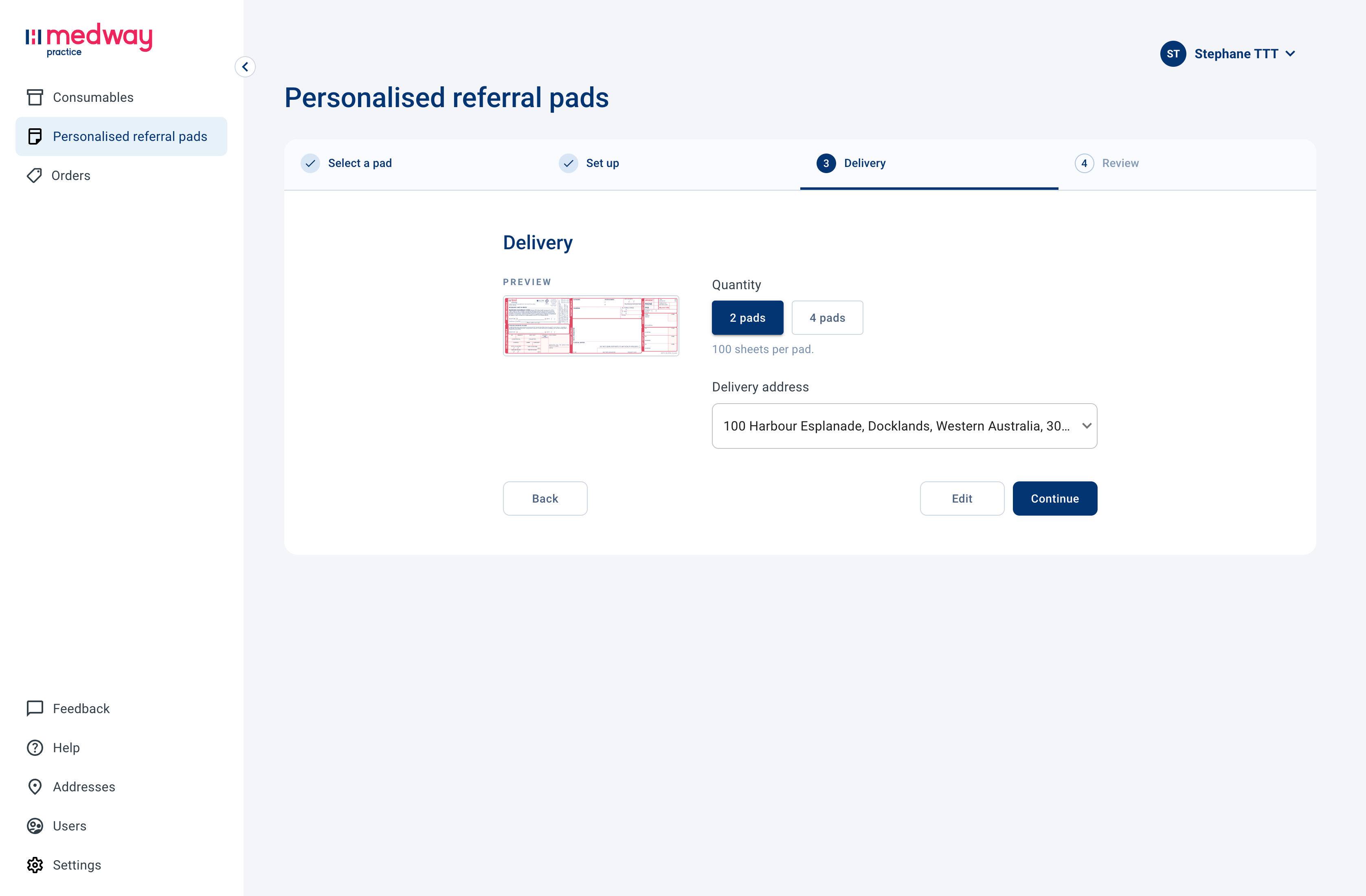
Delivery
Select a delivery address from your address book. Then click Continue.
Customised referral pads can currently only be ordered in quantities of 2 or 4 pads only.
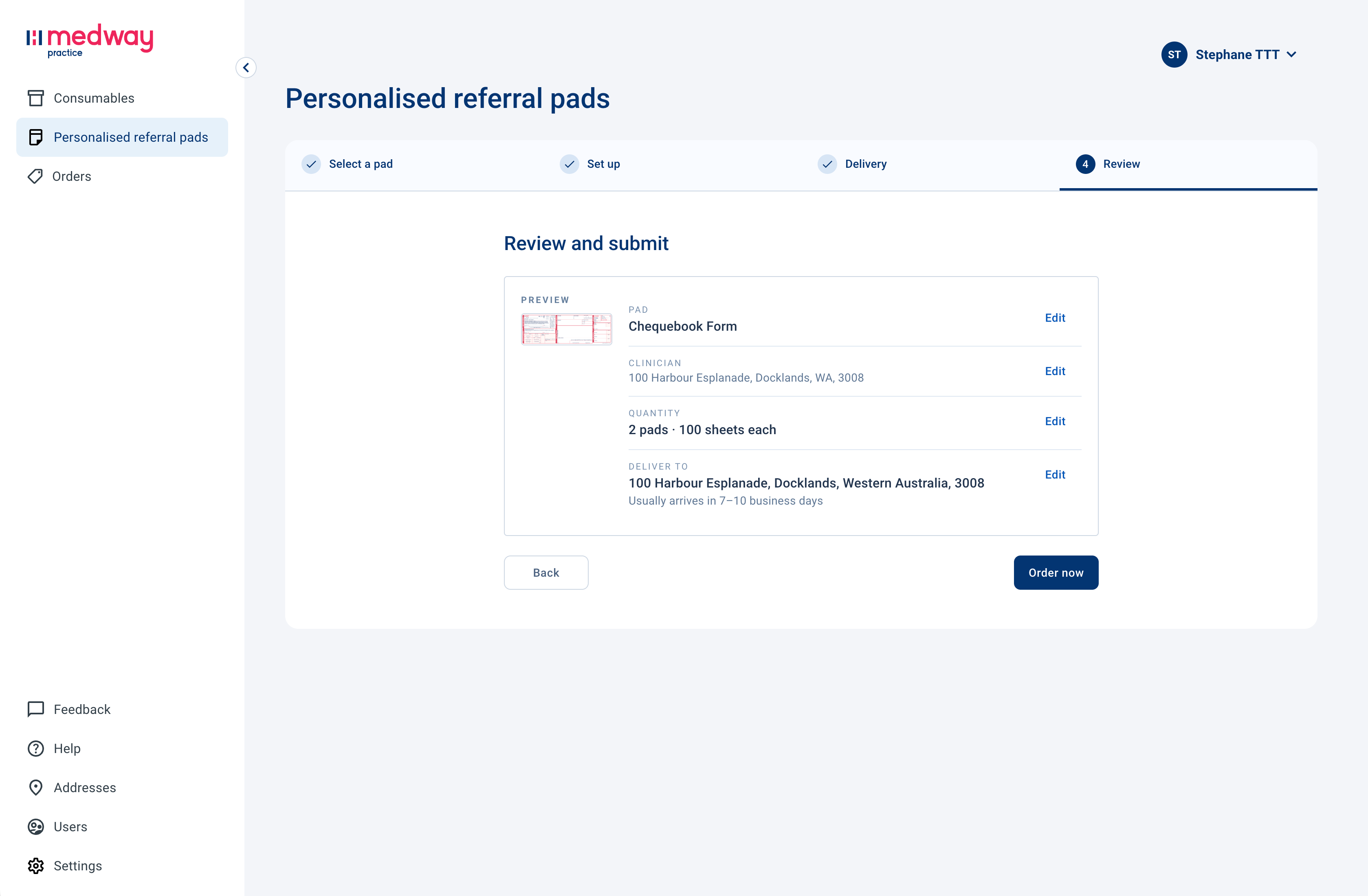
Review
Confirm the details of your order. Click on edit to modify details.
Click Order now to proceed with the order.
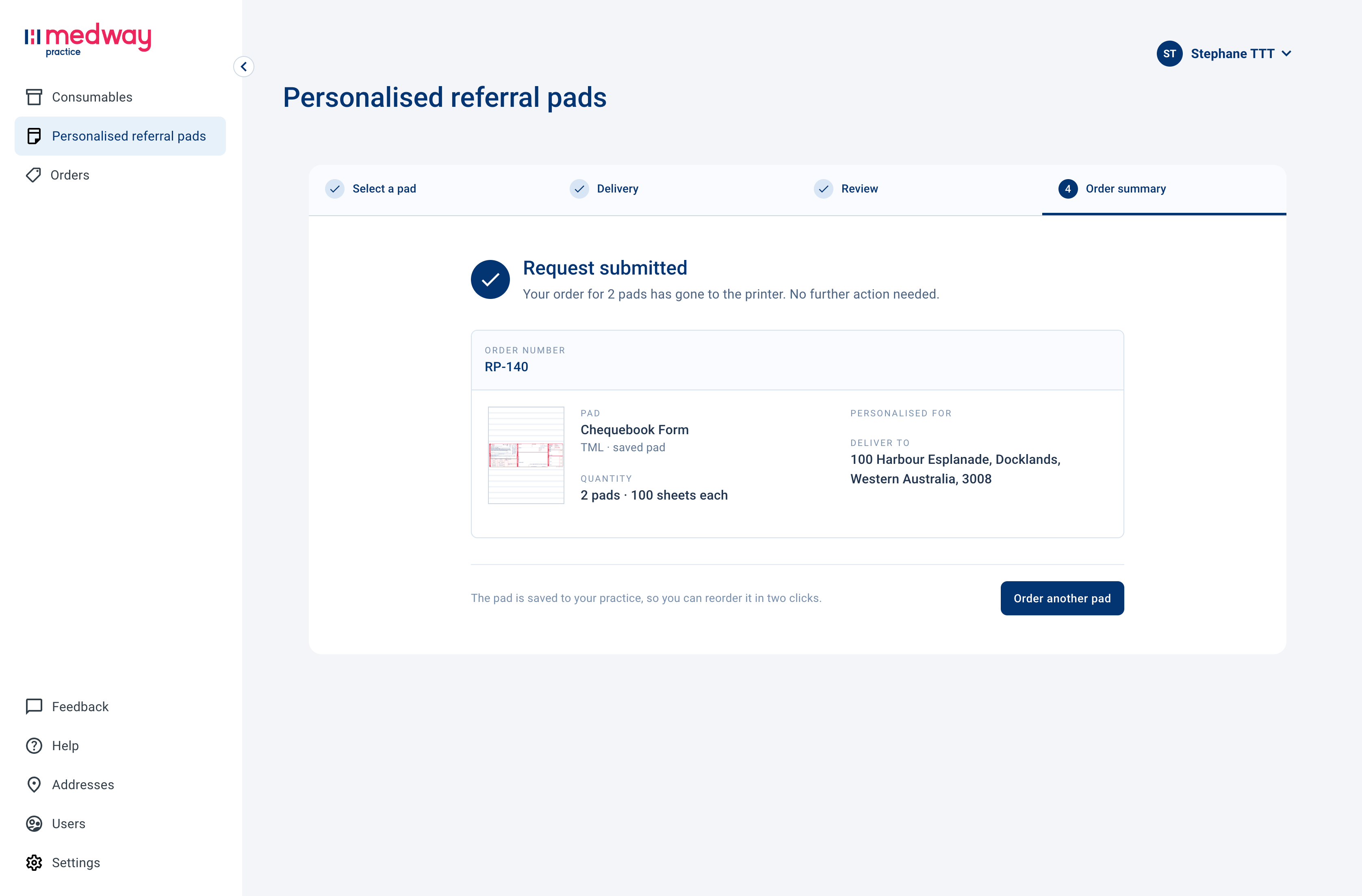
Order summary
Once the order is submitted, you will see an order summary on screen and receive an confirmation email.
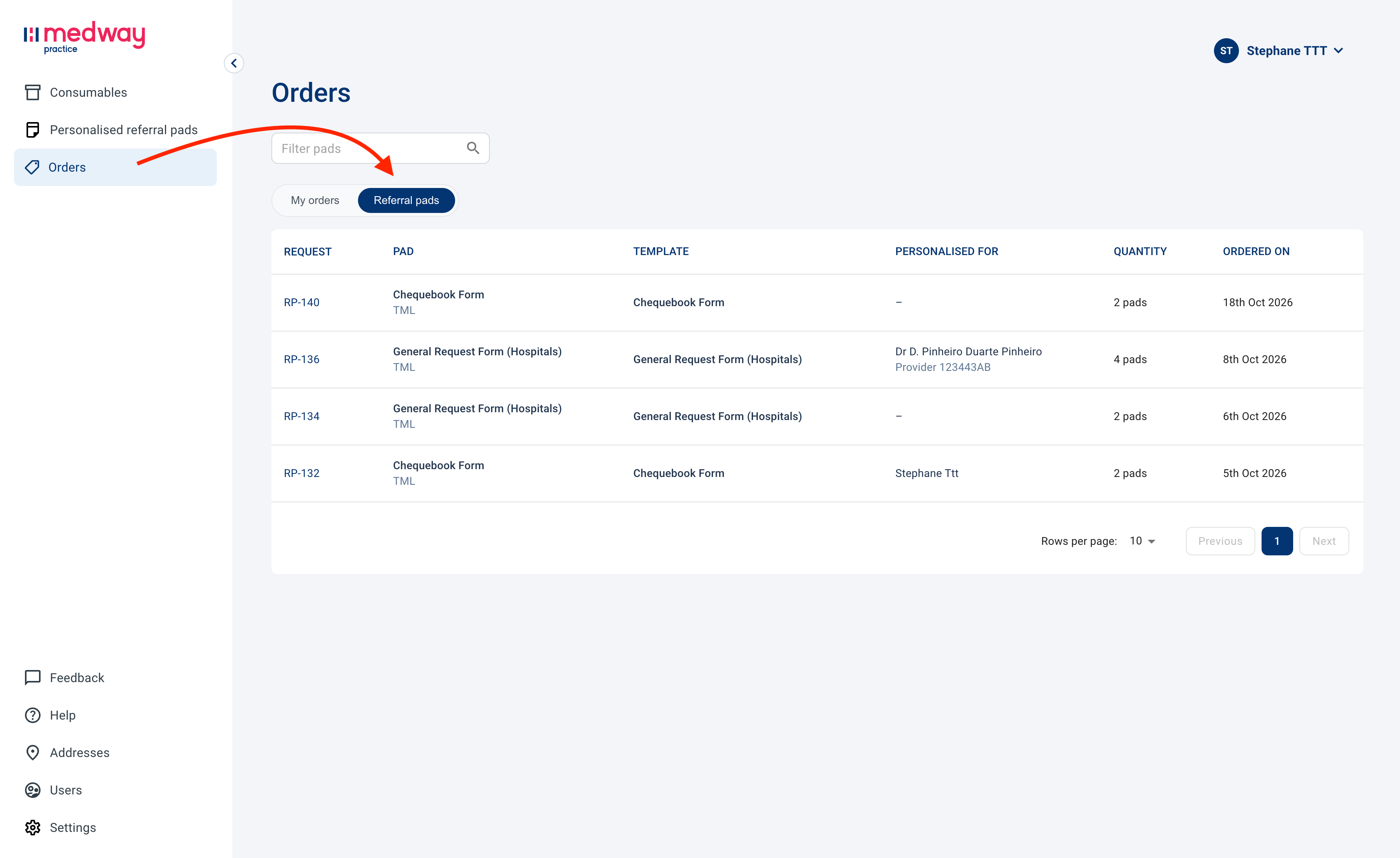
You can also find your order listed under Orders > Referral pads.
Important information
All information entered on the form will appear exactly as submitted on the printed referral pads.
Before submitting your request, ensure:
Clinician names are correctly spelled
Provider numbers are accurate
Addresses and contact details are up to date
Any optional fields contain the correct information
Incorrect or incomplete information may result in delays or printed pads containing incorrect details.
What happens next?
Your order will sent to our partner printer and delivered to your practice within a 1-2 weeks (depending on location). For any question, please contact practice@medway.com.au.
Was this helpful?
Still need help? Share an idea