How does the quote process work?
Here's a quick guide on how to process a B2B quote for sales representatives.
Written By Stephane Recouvreur
Last updated 26 days ago
Go to Medway Practice’s backend (BigCommerce) > B2B > Quotes.
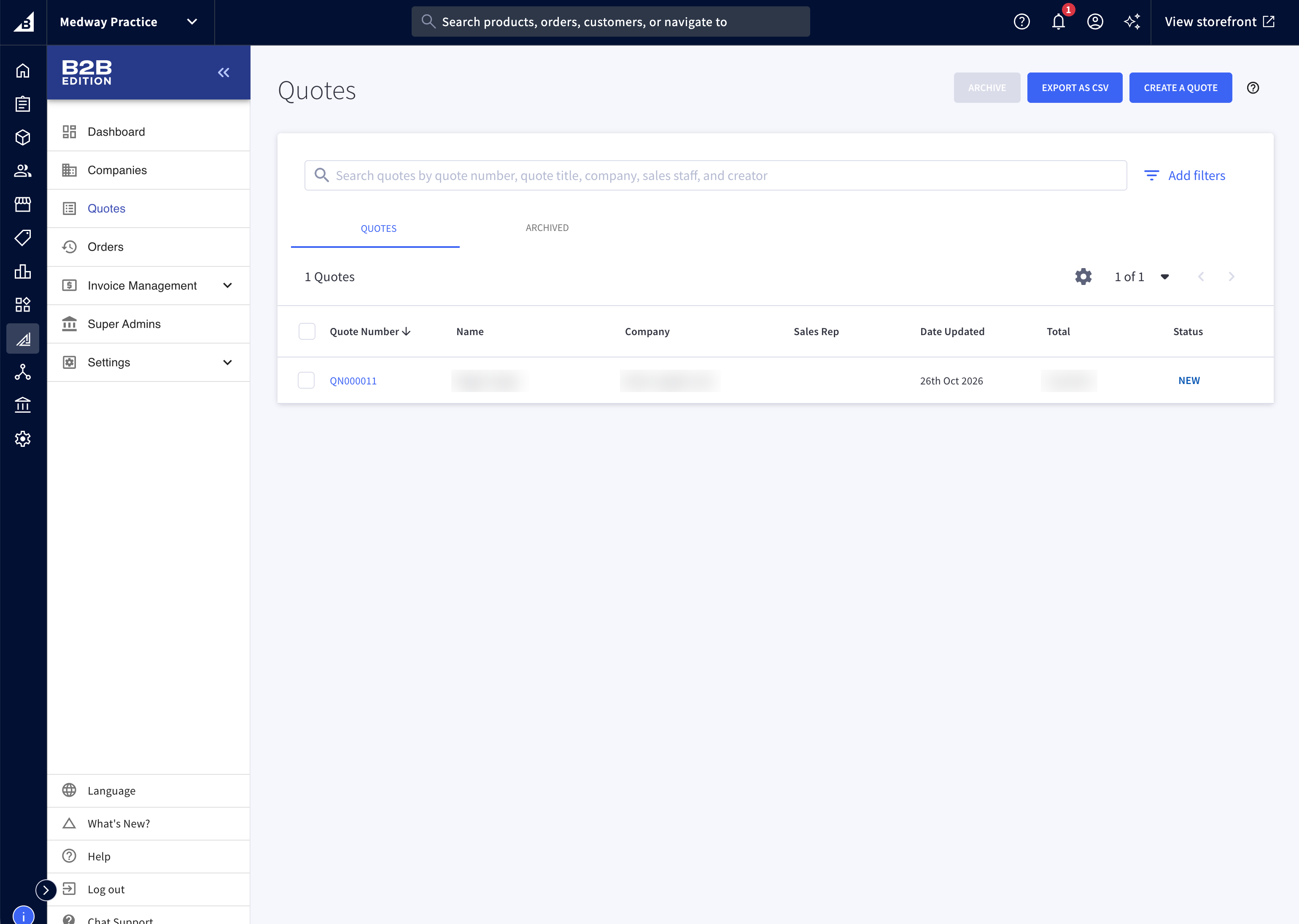
You cannot (yet) filter quotes by state or sales representatives.
Open a quote.
Note that a sales representative can create a new quote by clicking on Create a quote in the top right. The process described below will be similar to both updating an existing quote or creating a new quote.
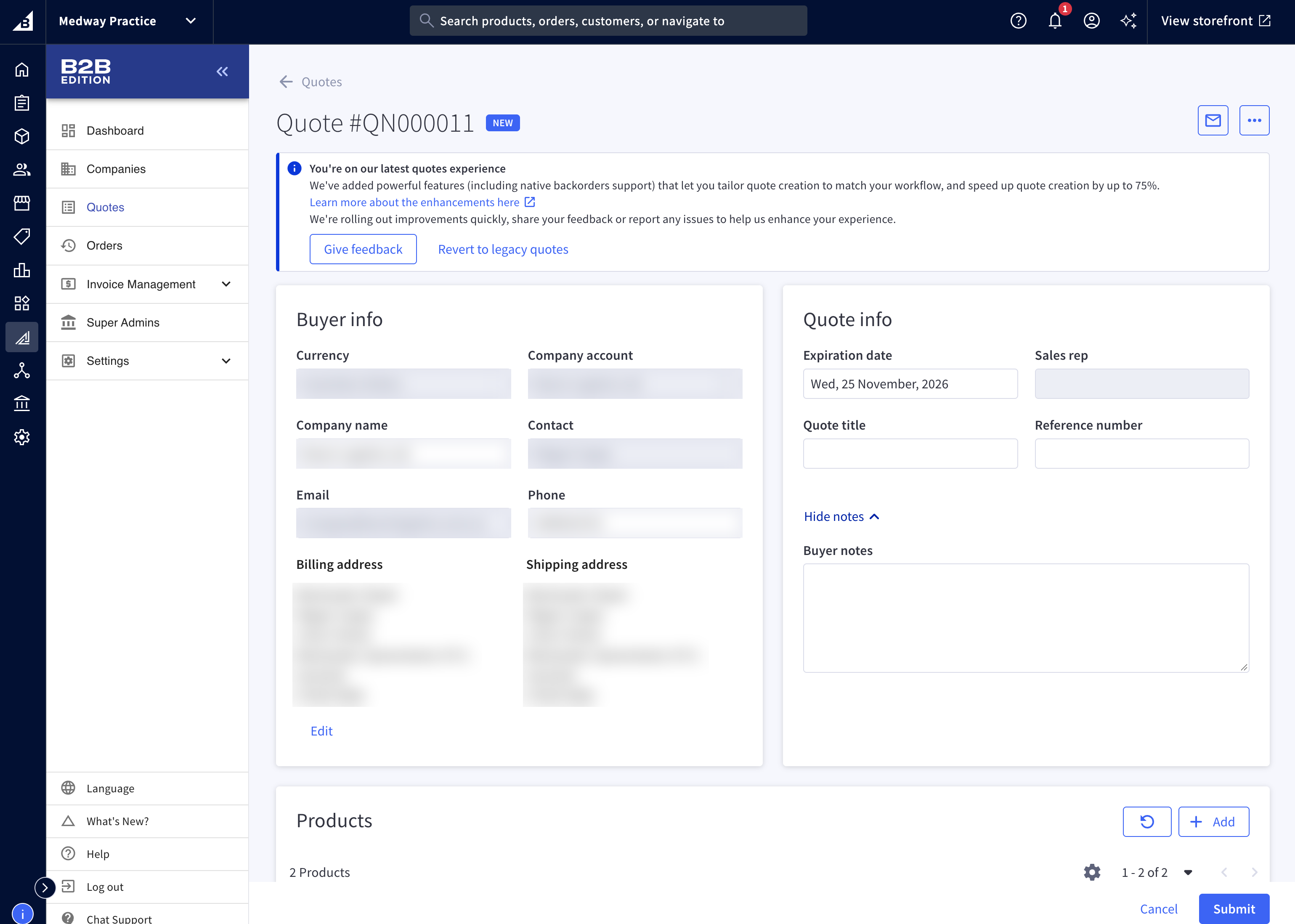
Buyer info
Buyer information are already provided. There should be nothing to edit.
Quote info
You can edit the following fields:
Expiry date: you can set the expiry date to a different date if you wish to give more time to your customer.
Quote title (optional): Give it a memorable name for the customer if you wish to easily refer to this quote in the future.
Reference number (optional): insert any internal reference if useful.
Note that Sales rep cannot be edited and will default to the user who submits the quote.
Discount
You have three options to create a discount:
Per line item: when selected, you can manually update the price of each line item, EITHER by setting the new price directly or by inserting a percentage discount.
Total - %: when selected, you can define an overall percentage discount across the board (aka not product specific).
Total - fixed amount: when selected, you can manually specify the final price (excluding shipping).
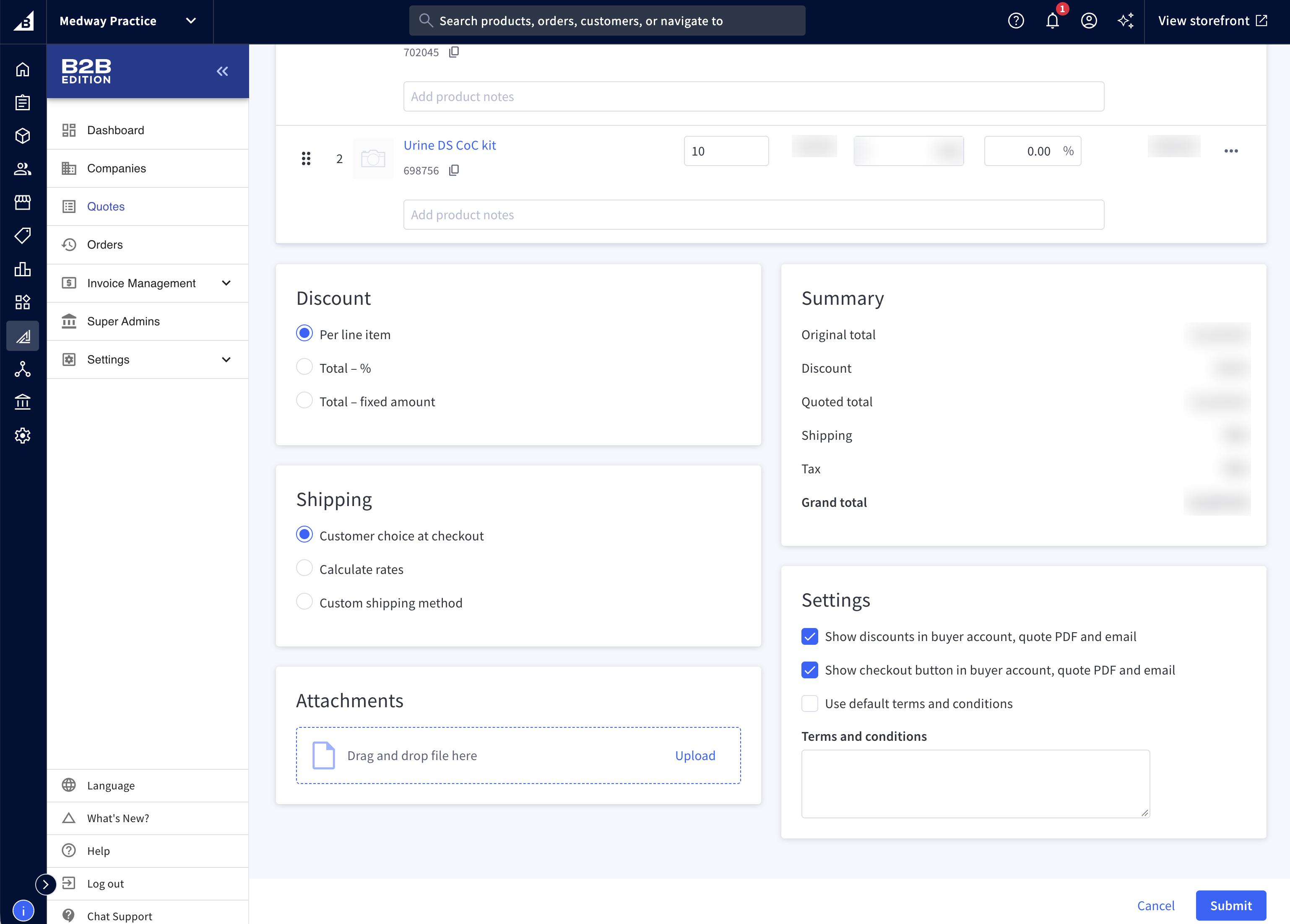
Shipping
Select Calculate rates. Shipping fees are defined by rules in another app within the platform, based on the customer group, product, location, etc
If you can’t find the appropriate shipping rate, please contact practice@medway.com.au
Shipping defaults to FREE when no rule are set.
Submit a quote
In Settings, untick “Show discount in buyer account, quote PDF and email, then click Submit.
What happens afterwards?
The client will receive an automated email with a quote summary, including a link to submit the order directly on Medway Practice. The user will be redirected to the Checkout to complete the order.
The client can also contact the sales representatives directly, as their contact information are shown on each quote.
Demo
Was this helpful?
Still need help? Share an idea