How can a CCM edit an order?
Written By Stephane Recouvreur
Last updated 20 days ago
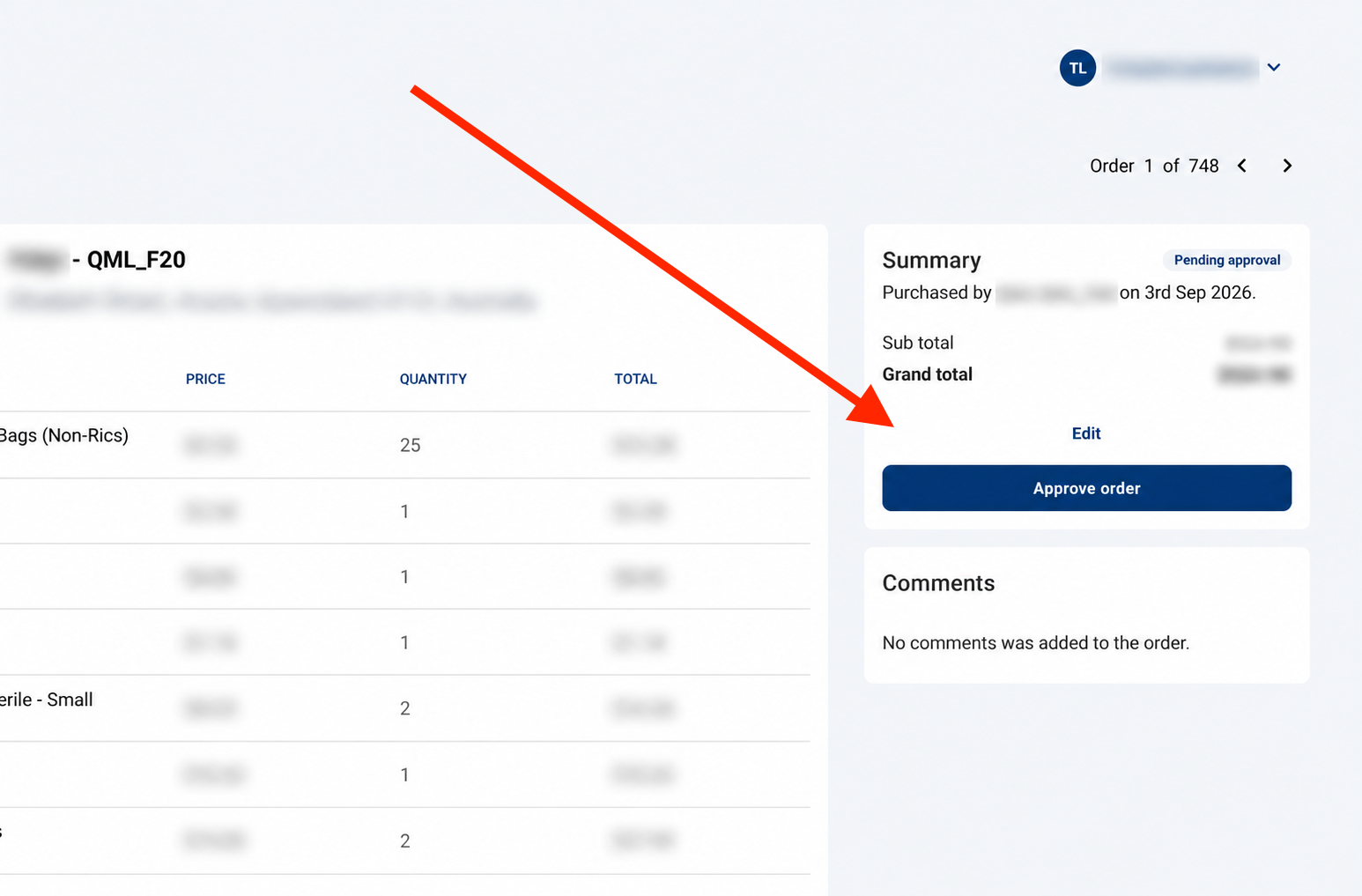
Go to Medway Practice and select a Pending approval ACC order.
Click on Edit.
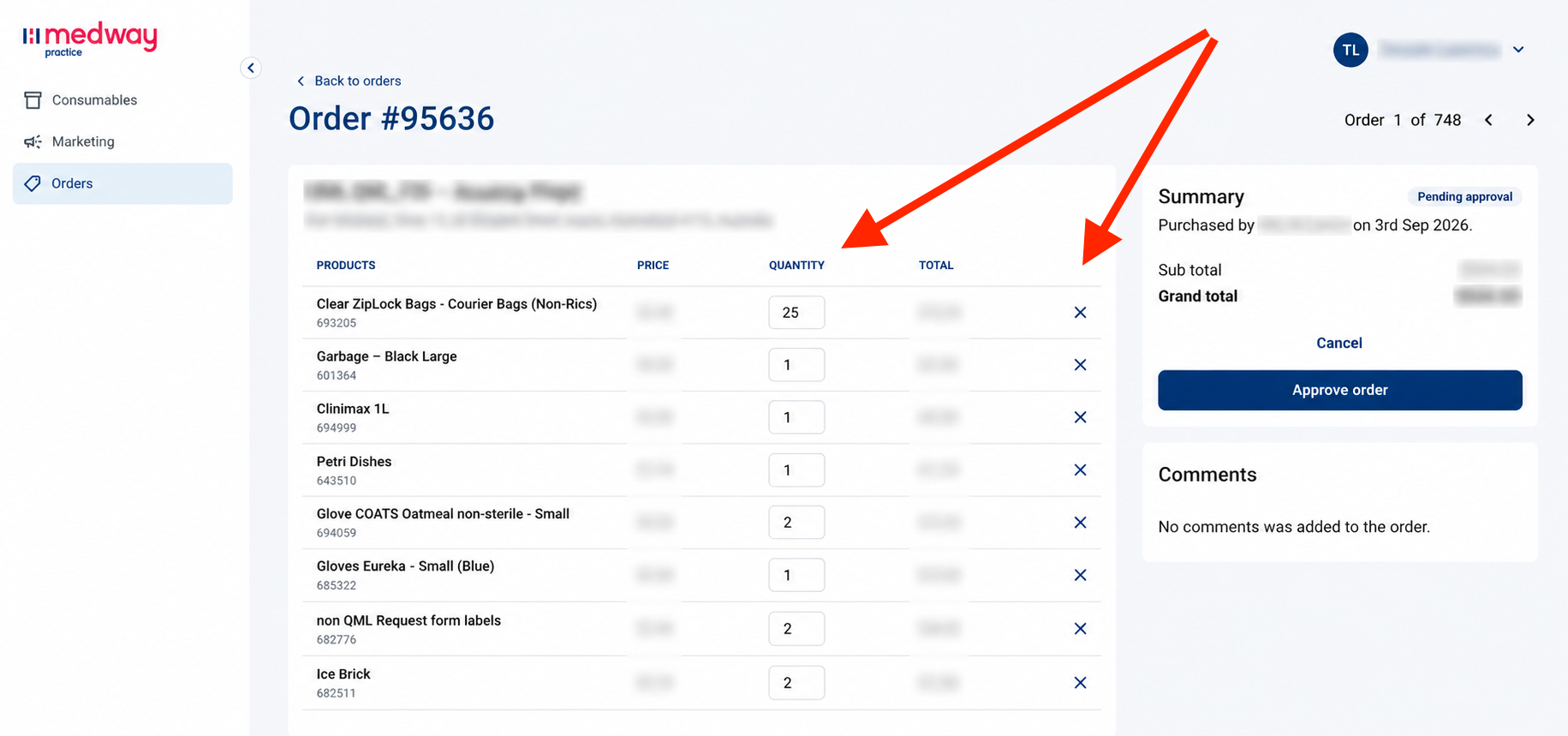
You can then update the quantity of the product, or simply remove it by clicking on the X at the end of the row.
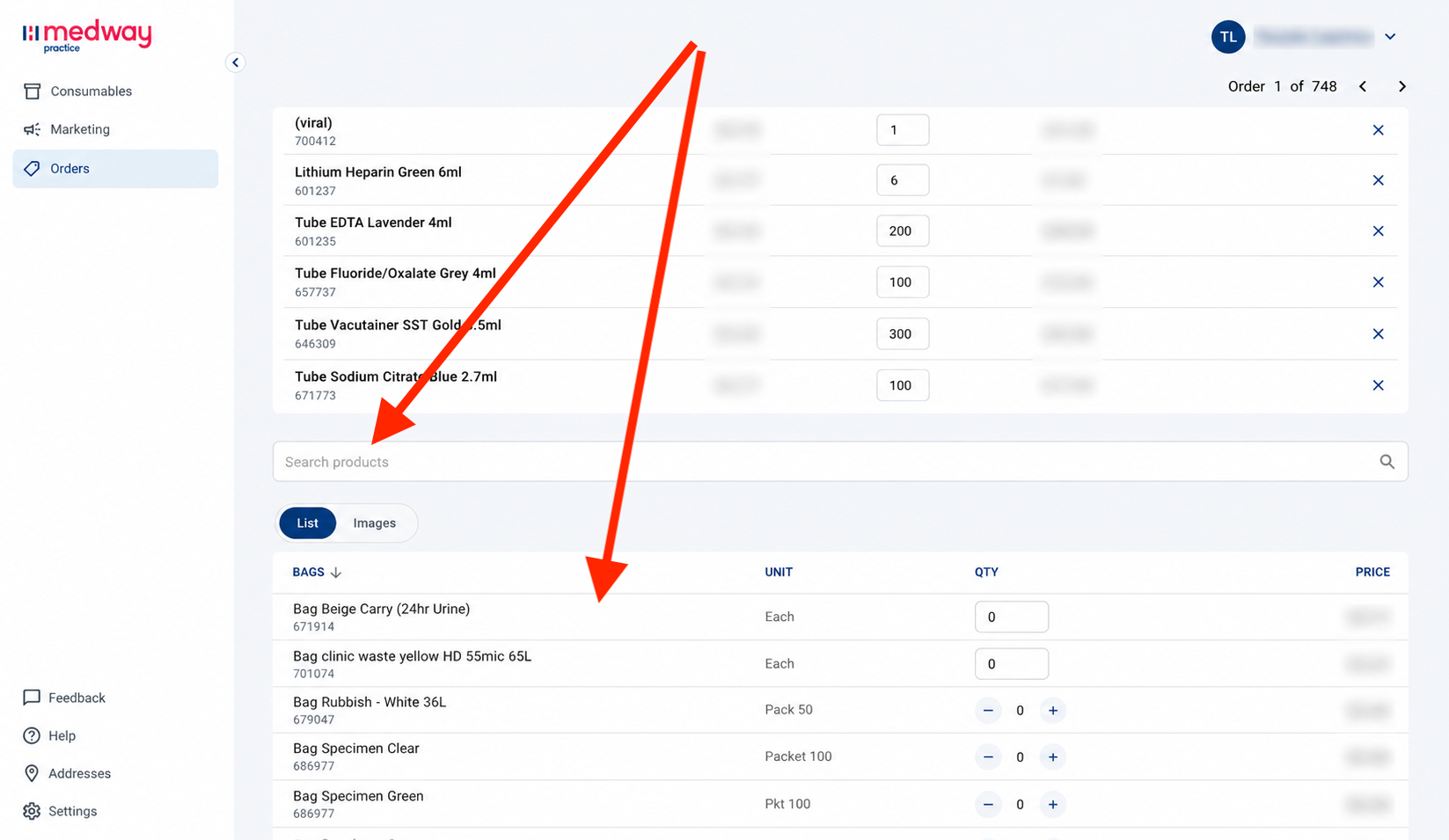
You can also add products using the search bar or browsing the product list below the order.
Once edited, simply approve the order.