How does the quote process work?
Ordering large volume of consumables? Learn how to request a quote for your business within Medway Practice.
Written By Stephane Recouvreur
Last updated About 2 hours ago
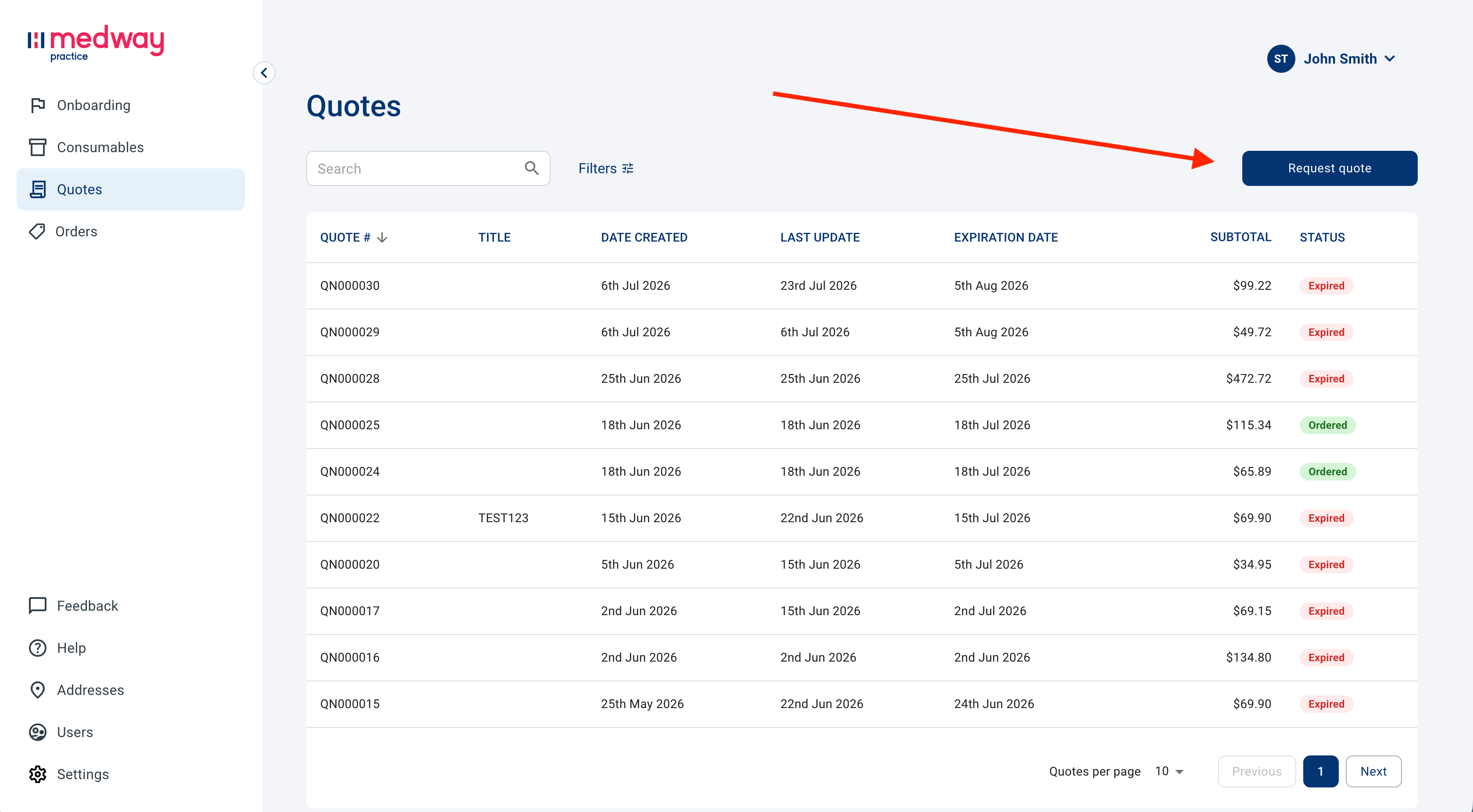
First of all, the Quotes tab must be activated for your account. If you do not see a Quotes tab on the left, you do not have access to this feature.
To start, click on Request quote.
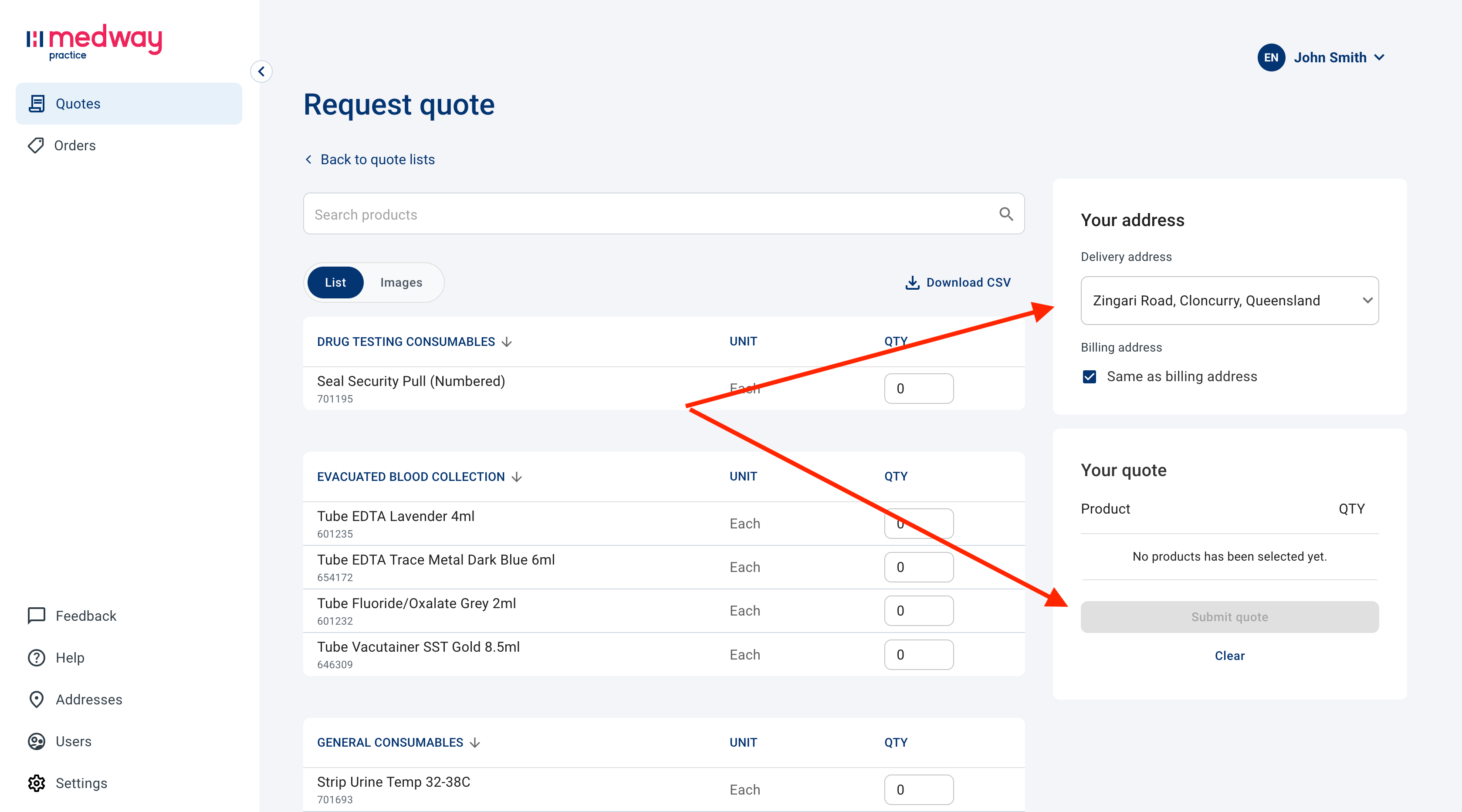
Products are displayed without a price.
Simply select the products and quantities desired, select a delivery address on the right from the dropdown and click on Submit quote.
You can review the status of your quote in the main Quotes panel.
Once a quote is created, you will receive an email with a summary of the quote, including a link to review and accept the quote in Medway Practice.
Once accepted, you can proceed to the checkout to complete your order directly within Medway Practice.
Was this helpful?
Still need help? Share an idea